The exchange
The app has two tabs, Swap and Portfolio. There are no accounts; the connected wallet is the account. The app talks to the desk for prices and order status, and to Midnight through the wallet. It never holds funds, and only the wallet's signature moves them.
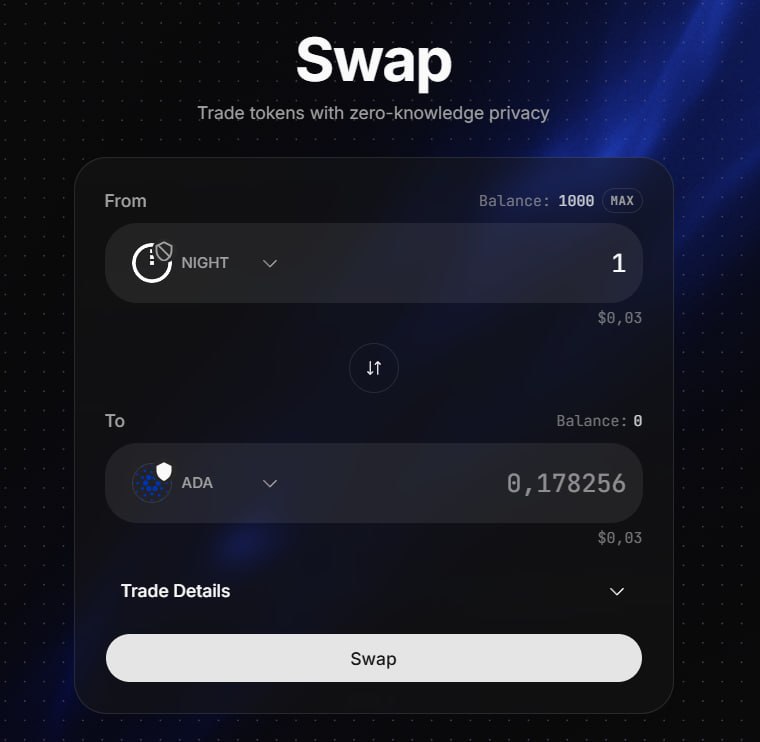
Connecting a wallet
The connector supports multiple Midnight wallets. Once connected, it shows the wallet's shielded and unshielded addresses, its NIGHT balance, and its DUST.
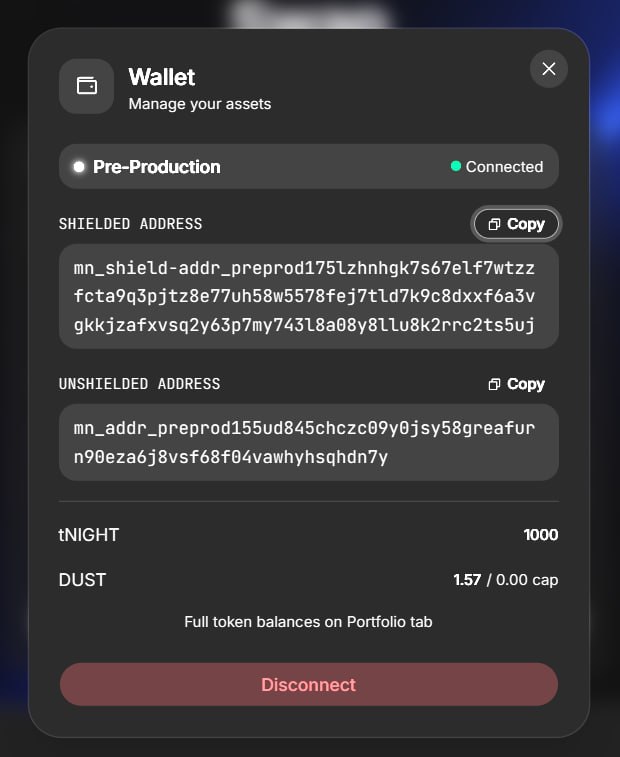
Choosing tokens
Each token exists in a shielded and an unshielded form. The token selector sets the form on each side, so any combination, unshielded to shielded, shielded to unshielded, or the same form on both sides, is a single swap.
The swap, step by step
Live pricing. The receive amount fills from a live quote as the send amount is typed. USD values sit under each side.
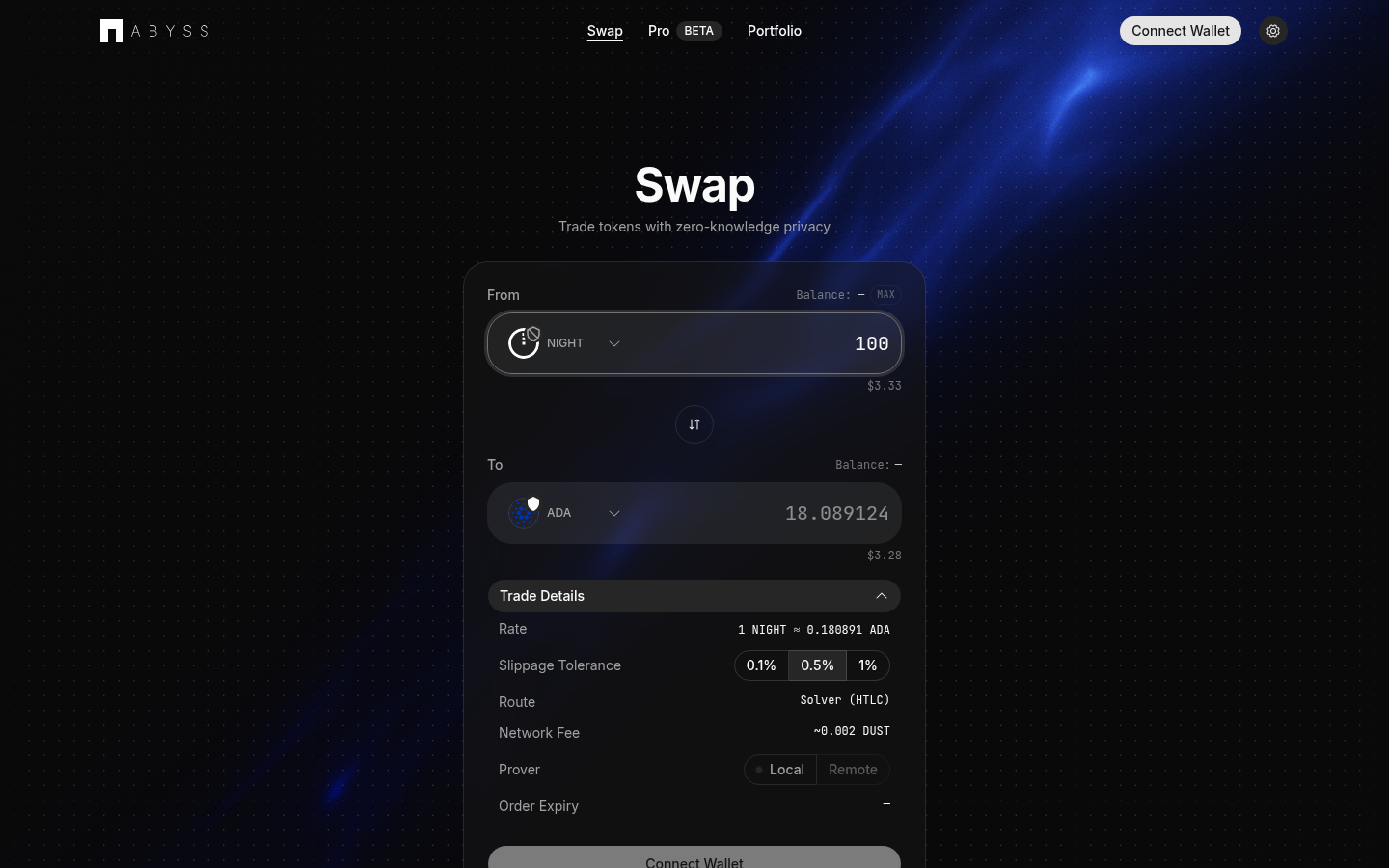
Trade details. An expandable panel shows the rate, slippage tolerance, route, DUST fee, and proving option.
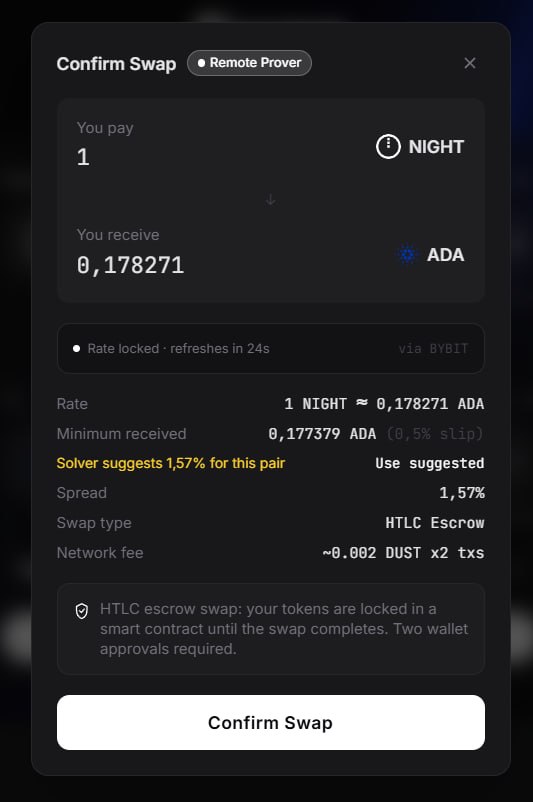
Confirm. Confirming issues a firm quote with reserved inventory. A modal shows the swap's details and a countdown on the locked rate; the rate refreshes just before it expires. Closing the modal releases the quote.
Errors. A refused trade returns a specific reason: pair paused, price moved, stale feed, size over the maximum, not enough inventory or hedge capacity, or a global halt.
Deposit. One approval deposits into the escrow, and a recovery secret is shown. Progress then updates live through to completion.
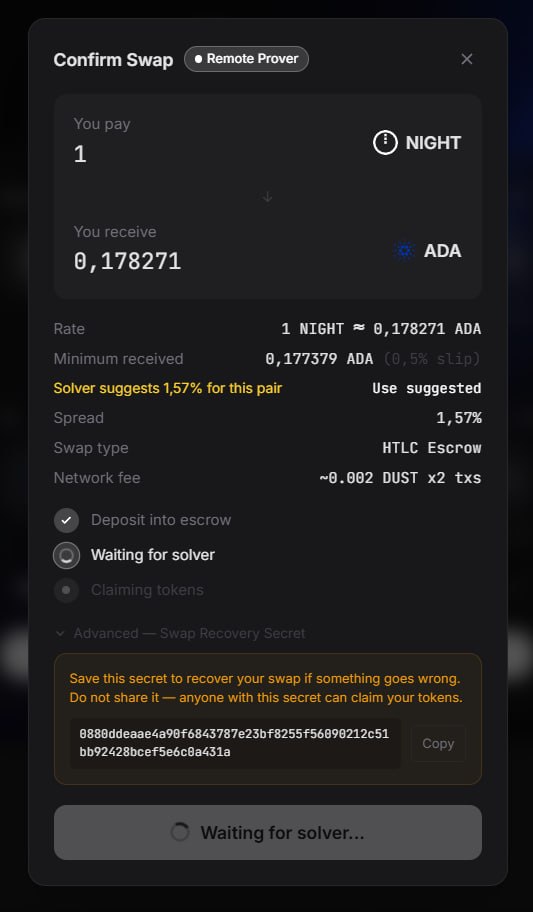
Claim. By default the desk submits the claim and pays its gas. Self Claim is available in Settings.
Active orders. Open swaps appear in an Active Orders panel with the action available for each: claim, reclaim, or recover secret. Completed swaps move to history.
Portfolio
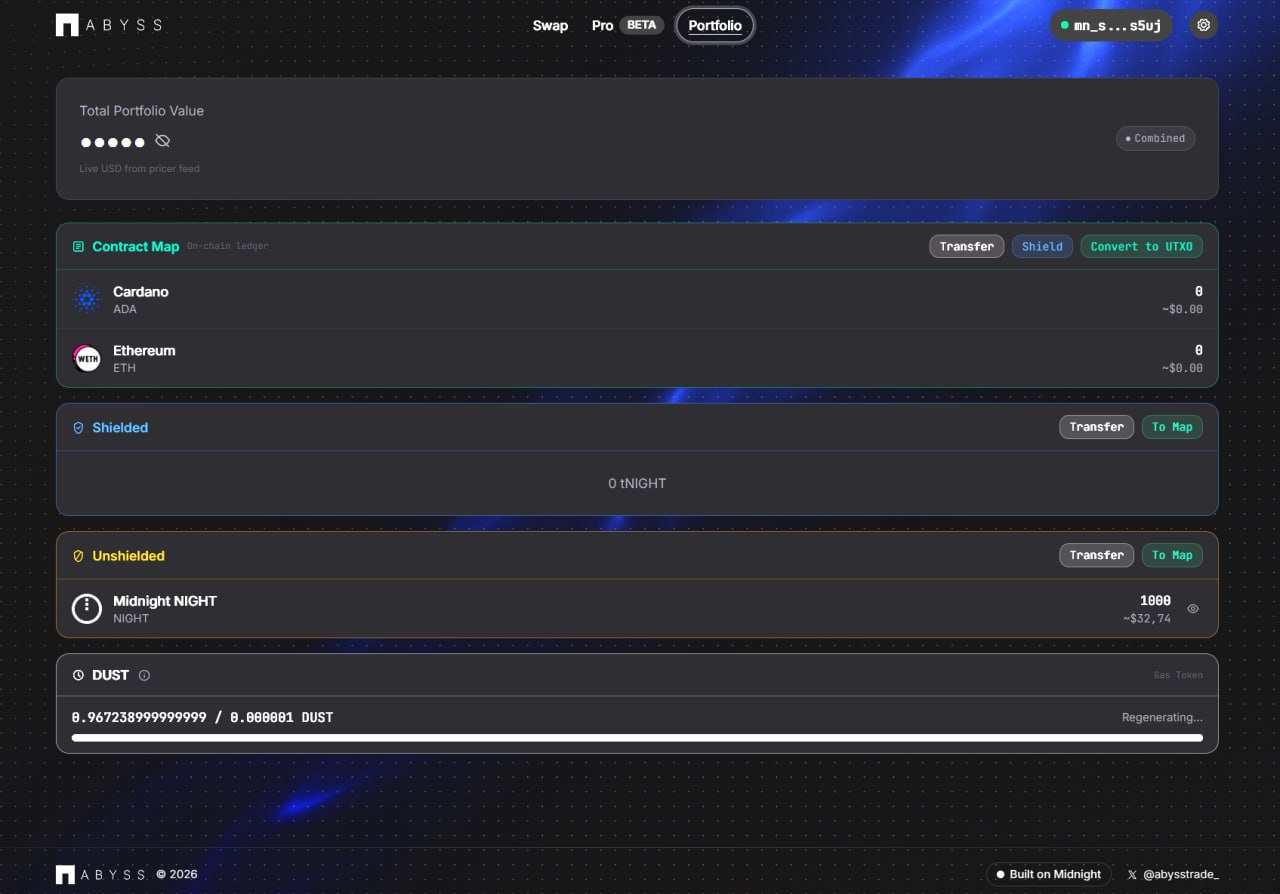
A Midnight wallet holds several kinds of balance. The Portfolio tab lists all four with their actions:
| Balance type | What it is | Actions |
|---|---|---|
| Contract ledger | Balances held as on-chain contract entries | Transfer, shield, convert |
| Shielded | Private balances, invisible to observers | Transfer, unshield |
| Unshielded | Transparent balances | Transfer, shield |
| DUST | The chain's fee resource, shown as a regenerating gauge | Monitored, with a low-balance warning |
DUST regenerates from holding NIGHT, so it is not bought like gas.
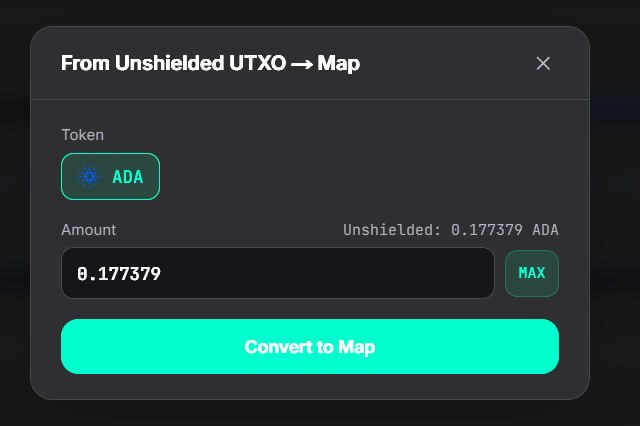
Shielding, unshielding, or converting a balance opens a small dialog.
Settings
- Network: switches between the local, test, and main networks.
- Prover: sets where the swap's zero-knowledge proofs are generated.
- Claim mode: Sponsored Claim or Self Claim.